The 30-second verdict
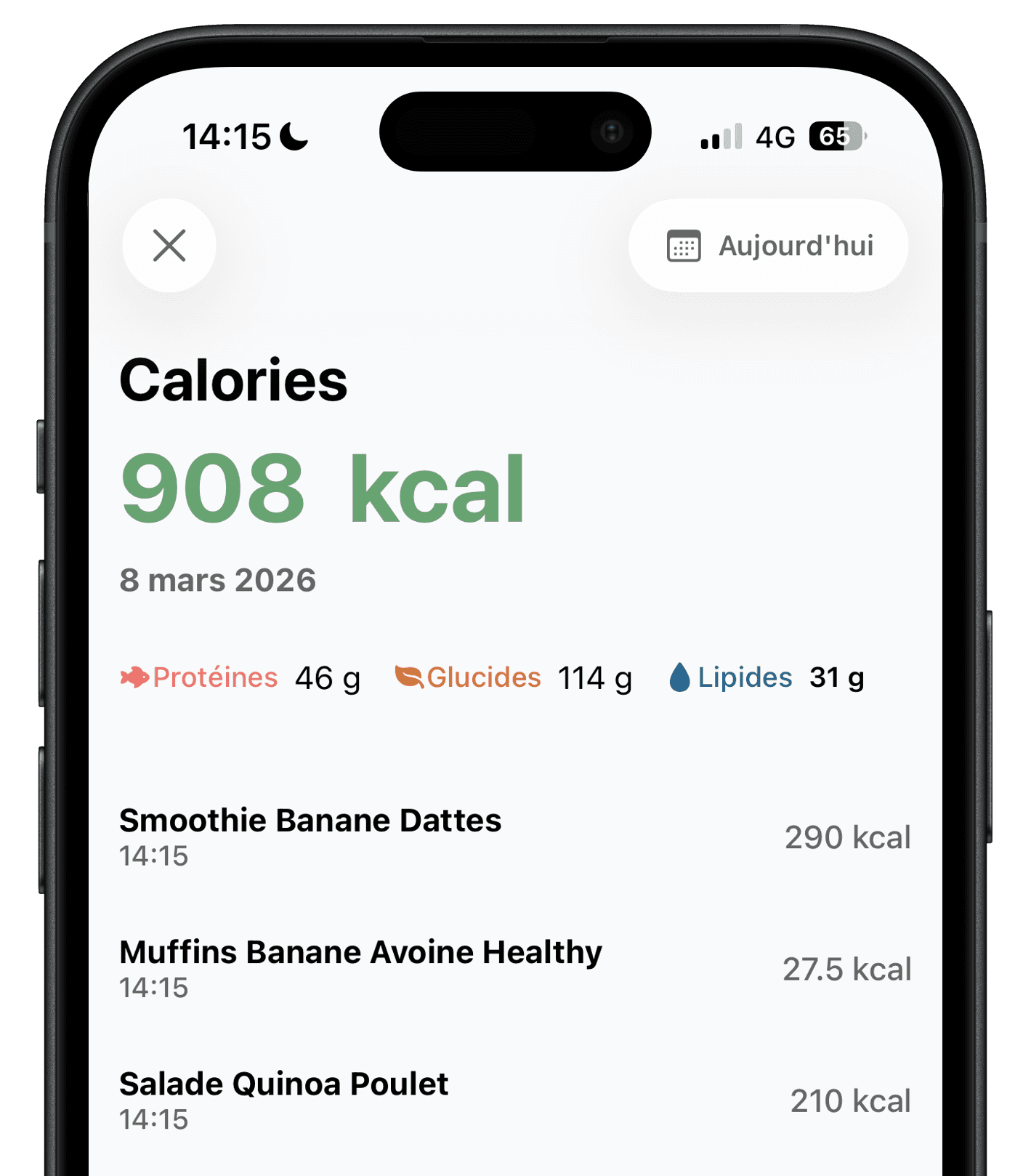
Ember is a better fit if you want to log meals from a photo or a sentence without paying, see your protein, carbs and fat, and follow a 16:8 fast in the same app. Lose It! is better suited if you want a very large food database, an Apple Watch app, device syncs and health metrics such as blood pressure or glucose, and you are ready to pay for Premium.
Both apps give estimates. A photo cannot weigh your portion or see the oil in the pan, and a database entry is only as accurate as the portion you pick. Compare what you get for free and how quickly you can fix an estimate.
Ember vs Lose It!: the key differences
This comparison is based on features publicly documented by both apps in October 2026, including the Lose It! listing on the US App Store.
Swipe the table horizontally to compare.
| Criteria | Ember | Lose It! |
|---|---|---|
| Logging a meal | Photo, description or barcode | Food search for free; photo, voice and barcode with Premium |
| Free access | Up to 2 AI meal analyses per day, with no time limit | Calorie tracking, a weight loss plan and the community |
| Price | Free plan, optional subscription | In-app purchases from $9.99 to $79.99, including lifetime options |
| Calories and macros | Calories, protein, carbs and fat for every meal | Calories for free; macros, vitamins and minerals with Premium |
| Intermittent fasting | Timer with reminders, 16:8 included in the free plan | Included in Premium |
| Steps, water and weight | Together in the dashboard, with Apple Health | Weight loss plan for free; Fitbit, Garmin and Withings syncs with Premium |
| Food database | AI estimate you can correct food by food | More than 56 million foods and recipes |
| Platforms | iOS and Android | iOS, Android and Apple Watch |
Which app is right for you?
Choose Ember if
- You want to log meals from a photo without a subscription.
- You would rather describe a meal in one sentence than search for each food.
- You want to see your protein, carbs and fat on the free plan.
- You practice 16:8 intermittent fasting and want to track it next to your meals.
- You want a quick daily routine more than a detailed food diary.
Choose Lose It! if
- You like searching a large food database and weighing your portions.
- You want to check your day on an Apple Watch.
- You want to sync a Fitbit, a Garmin watch or a Withings scale.
- You also want to track blood pressure, glucose or a GLP-1 medication.
- You are happy to pay for Premium to unlock photo, voice and barcode logging.
Two ways to fill a food diary
Lose It! was built around a food database and later added AI logging. Ember was built around the meal photo from the start.
- Photograph
- Ember estimates calories and macros from a meal photo, including on the free plan within the daily limit. Lose It! offers photo meal logging with Premium.
- Describe
- Ember accepts a free-form description such as “chicken burrito bowl with guacamole”. Lose It! offers a similar AI voice logging with Premium.
- Scan
- Both apps read barcodes on packaged foods. In Lose It!, the barcode scanner is listed as a Premium feature.
- Search
- Lose It! lets you search more than 56 million foods and recipes for free. Ember skips the search step: you correct the AI estimate food by food instead.
Strengths and limitations of each app
Ember
Ember focuses on meal logging. A photo or a sentence gives an estimate of calories, protein, carbs and fat in a few seconds. You can correct foods, portions or preparation, then follow your day with water, steps, weight and fasting.
- Strength
- AI photo and description logging you can use for free every day.
- Good to know
- Ember has no Apple Watch app and does not track health metrics such as blood pressure or glucose.
Lose It!
Lose It! is a calorie counter launched in 2008 by FitNow, a US company owned by Ziff Davis since 2022. It combines a database of more than 56 million foods and recipes, a weight loss plan and a community. Premium adds photo, voice and barcode logging, macro and nutrient tracking, fasting and device syncs.
- Strength
- A very large food database, an Apple Watch app and many health metrics in one place.
- Good to know
- The free version covers calorie tracking by search: photo, voice and barcode logging, macros and fasting require Premium.
Free plan
Ember includes up to two AI meal analyses per day on its free plan, with no time limit. Lose It! is free to download, but its free version is limited to calorie tracking, a weight loss plan and the community. On the US App Store, Lose It! Premium in-app purchases range from $9.99 to $79.99, with lifetime options at $49.99 and $59.99, depending on the offer shown. The yearly subscription renews automatically, and deleting the app does not cancel it. Prices and offers may change.
Accuracy
In July 2026, NIH researchers presented a preliminary study of 102 meals prepared in a metabolic kitchen. The photo logging of four apps, MyFitnessPal, Lose It!, Cal AI and Appediet, underestimated calories by 250 to 345 kcal per meal on average, about a third, especially from fat. Lose It! did better on higher-calorie meals than on lighter ones. Ember was not part of the test, and its photo estimates face the same limits: whatever app you use, check portions, sauces and cooking fats, and seek advice from a healthcare professional for medical needs.
Frequently asked questions
Ember is a relevant alternative if you want photo or description logging without paying: the free plan includes up to two AI meal analyses per day, with calories and macros. Lose It! remains more complete if you want a large searchable database, an Apple Watch app and device syncs.
Yes. Lose It! is free to download, and the free version includes calorie tracking, a weight loss plan and the community. Photo, voice and barcode logging, macro tracking, intermittent fasting and device syncs are listed as Premium features on the App Store.
On the US App Store, Lose It! Premium in-app purchases range from $9.99 to $79.99, with lifetime options at $49.99 and $59.99. The listing does not state the length of each plan, and the offer shown can vary with promotions.
Yes. Lose It! offers photo meal logging and AI voice logging, both listed as Premium features. In Ember, photo and description logging are available on the free plan, up to two analyses per day.
Its database entries are as accurate as the portion you log. For photos, a preliminary NIH study presented in July 2026 found that Lose It! and three other apps underestimated meal calories by about a third. As with Ember, correct portions and hidden fats when you know them.
Cancel the subscription in your Apple or Google Play account settings at least 24 hours before renewal: deleting the app is not enough. Then install Ember, set your goal and log your next meal with a photo.
Try Ember with your next meal
The free version includes up to two AI analyses per day, with no credit card required.


Methodology and sources
This comparison is published by the Ember team, so we have a commercial interest in presenting our app. To limit this bias, Lose It!’s features were checked against: its US App Store listing, its Google Play listing, Ziff Davis’s acquisition announcement, the NIH study release, accessed on October 27, 2026. Ember’s features come from the app and its official product page.
Lose It! is a trademark of FitNow, Inc. MyFitnessPal, Cal AI and Appediet are trademarks of their respective owners. Ember is not affiliated with or endorsed by Lose It!. Features and prices may change after the verification date.