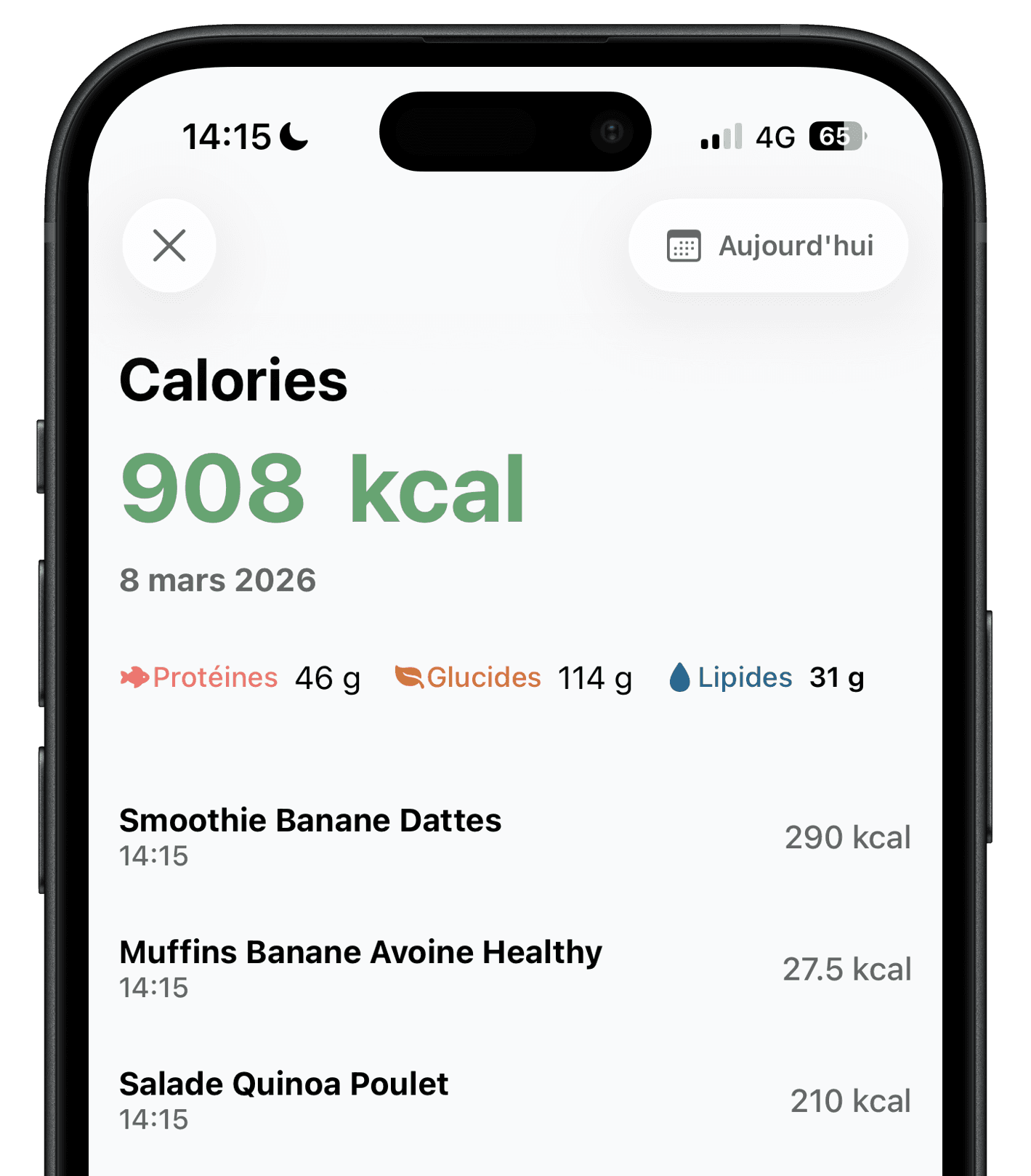
Quick pick by need
- Ember
- Free photo and description logging, with built-in fasting
- MyFitnessPal
- Largest food database and integrations
- Cronometer
- Vitamins and minerals from verified foods
- Lose It!
- Huge database and an Apple Watch app
- MacroFactor
- Macro targets that adjust every week
- Yazio
- Recipes and many fasting trackers
- FatSecret
- Free classic food diary with barcodes
- Lifesum
- Guided diets (keto, Mediterranean…)
- Foodvisor
- Nutrition program, lessons and advice
- Cal AI
- Photos, nutrition labels and Apple Watch
- Noom
- Psychology lessons and a coach
Calorie app comparison table
Features publicly documented by each app and prices from the US App Store, checked in October and November 2026. Many apps show several prices for the same plan depending on the offer, so we list the range.
Swipe the table horizontally to compare.
| App | Best for | Logging a meal | Photo analysis | Barcode | Intermittent fasting | Price (US) |
|---|---|---|---|---|---|---|
| Ember | Fast photo and text logging | Photo, description or barcode | Free, up to 2 analyses per day | Yes | Timer and reminders included | Free; Ember+ $29.99/year |
| MyFitnessPal | Largest food database | Database search, recipes | Premium, English only | Premium | Premium | $79.99/year (Premium+ $99.99/year) |
| Cronometer | Vitamins and minerals | Search and barcode; photo and voice with Gold | Gold | Free | Gold | Gold: $10.99/month or $59.99/year |
| Lose It! | Big database, Apple Watch | Search for free; photo, voice and barcode with Premium | Premium | Premium | Premium | Premium from $9.99 to $79.99, lifetime $49.99 to $59.99 |
| MacroFactor | Adaptive macro coaching | Search, barcode, label, photo and voice | Yes, subscription only | Yes, subscription only | Not documented | $11.99/month, $47.99/6 months or $71.99/year |
| Yazio | Recipes and fasting | Search, AI scan and barcode | Yes | Yes | Several dedicated trackers | Pro from $23.90 to $47.90/year, or $23.99/3 months |
| FatSecret | Free classic food diary | Search and barcode | Premium | Free | Premium meal plans | From $10.49/month or $38.99/year |
| Lifesum | Guided diets | Search and barcode | Premium (AI Tracking) | Free | Premium programs | Premium from $29.99/3 months or $99.99/year |
| Foodvisor | Nutrition program | Photo, voice, search and barcode | Premium | Free | Advanced Premium programs | Premium from $14.99 (1 month) to $89.99 (3 months) |
| Cal AI | Photo-first logging | Photo, barcode, label and description | 3-day trial, then subscription | With subscription | Not documented | Unlimited plans from $2.99 to $29.99 (length not listed) |
| Noom | Lessons and coaching | Search, barcode and meal photos | With the program | With the program | Not documented | $70 for 1 month to $209 for 12 months (noom.com) |
The 11 apps in detail
For each app: who it suits best, what it does well and what to know before subscribing.
1Ember
Ember estimates the calories, protein, carbs and fat of a meal from a photo, a plain-language description or a barcode. Results stay editable, and the app brings meals, water, steps, weight and intermittent fasting together in one simple, ad-free view.
- Best for
- Logging a meal in seconds with a photo or a sentence, without searching for every food.
- Good to know
- No recipe catalog, guided diets or Apple Watch app.
2MyFitnessPal
The classic calorie counter, with a huge food database largely built by users and 40+ fitness integrations. On the free plan, logging relies mostly on manual search and shows ads.
- Best for
- Weighing food and finding it in a database of over 20 million items.
- Good to know
- Barcodes, fasting and photo logging are paid; some database entries are duplicated or inaccurate.
3Cronometer
Cronometer is built around accuracy: a curated database of more than 1.1 million verified foods, including lab-analyzed entries, and more than 80 vitamins, minerals and other nutrients on the free plan. Gold adds photo and voice logging, a fasting tracker, a recipe importer and an ad-free experience. It syncs with Apple Health, Apple Watch, Fitbit, Garmin, Oura and Whoop.
- Best for
- Tracking micronutrients precisely, from a database of verified foods.
- Good to know
- Searching and weighing is precise but slower than a photo; photo logging and fasting require Gold.
4Lose It!
Lose It! has helped people count calories since 2008, with more than 56 million foods and recipes, an Apple Watch app and Fitbit, Garmin and Withings syncs. The free plan covers calorie tracking, a weight loss plan and the community.
- Best for
- Searching one of the largest food databases and checking your day on an Apple Watch.
- Good to know
- Photo, voice and barcode logging, macros and fasting are all part of Premium.
5MacroFactor
MacroFactor estimates your energy expenditure from what you eat and how your weight changes, then adjusts your calories and macros at each weekly check-in. Logging covers food search, barcodes, nutrition labels, AI photos and speech, with more than 1.36 million verified foods and no ads.
- Best for
- Getting calorie and macro targets that adjust every week to your real weight trend.
- Good to know
- There is no free version: after a 7-day trial, every feature requires a subscription. The app is in English and Japanese only.
6Yazio
Launched in 2014, Yazio combines a large food database, an AI scanner, barcodes, thousands of recipes, statistics and several fasting trackers. A significant part of the features requires Pro.
- Best for
- Combining calorie counting, recipes and different fasting methods in a highly customizable diary.
- Good to know
- The interface has many options, which can feel dense if you only want to log a meal.
7FatSecret
FatSecret offers one of the most complete free plans: search, barcodes, calories, macros, exercise, weight, recipes and community. Premium adds photo logging, a logging assistant, dietitian-made meal plans and water tracking.
- Best for
- Keeping a classic food diary for free, with barcodes, recipes and a community.
- Good to know
- Photo logging, which really speeds up tracking, is reserved for Premium.
8Lifesum
Lifesum combines a food diary, guided diets (keto, Mediterranean, high-protein, fasting), recipes and a weekly Life Score. Photo, voice and text logging are part of Premium.
- Best for
- Following a specific diet with meal plans, recipes and a weekly score.
- Good to know
- The free plan is limited: diets, the full recipe catalog and AI logging require Premium.
9Foodvisor
Foodvisor combines a food diary with a nutrition program, lessons, advice, recipes and reports. Its free plan includes manual entry and barcode scanning.
- Best for
- Getting guidance beyond calories, with a program, lessons and recipes.
- Good to know
- Photo meal analysis and most of the coaching are reserved for Premium.
10Cal AI
Cal AI is a photo-first calorie counter acquired by MyFitnessPal in late 2025 and now backed by its food database. It also reads barcodes and nutrition labels, and syncs with Apple Health and Google Fit.
- Best for
- A photo-first app with label scanning and Apple Watch, if you don’t mind a subscription.
- Good to know
- No lasting free plan: after a 3-day trial, the app runs on a subscription.
11Noom
Noom is a behavior change program more than a calorie counter: short daily lessons inspired by cognitive behavioral therapy, a coach, and a food log that sorts foods by calorie density (green, yellow and orange). Plans are billed upfront and renew automatically.
- Best for
- Working on the habits and emotions behind eating, with daily lessons and a coach.
- Good to know
- It is the most expensive option here, and the lessons take time if you only want to know the calories in your meals.
How to choose a calorie app
Logging speed
This is what decides whether you stick with it. Searching and weighing every food is precise but slow; a photo or a sentence takes seconds. Test the app on a real home-cooked meal, not just a packaged product.
What stays free
Most of these apps have a free plan (MacroFactor, Noom and Cal AI only offer a trial), but photo logging, barcodes or fasting are often paid. Check the feature you will use at every meal, and read the price shown when you subscribe: offers vary between users.
Accuracy
No app knows the exact portion weight, cooking oil or sauces. In July 2026, a preliminary NIH study found that several photo-based calorie apps underestimated meals by 250 to 345 kcal on average. Pick an app that makes portions easy to correct.
What surrounds the tracking
Recipes, guided diets, micronutrients, adaptive targets, lessons, smartwatches: these only matter if you use them. A simpler app you open every day beats a complete app you abandon after a week.
Frequently asked questions
There is no universal winner. Ember suits you if you want to log meals with a photo or a sentence without paying. MyFitnessPal and Lose It! remain the references for database size, Cronometer for vitamins and minerals, MacroFactor for targets that adapt every week, FatSecret for a free classic diary, Lifesum for guided diets and Noom for a coaching program.
FatSecret and Cronometer have complete free plans for a classic diary with barcodes. Ember includes up to two free AI analyses per day, by photo or description. MyFitnessPal, Lose It!, Lifesum and Foodvisor also have free plans but reserve photo logging for paid tiers. MacroFactor, Noom and Cal AI have no lasting free plan.
MacroFactor is built around macros: it recalculates your calorie and macro targets every week from your intake and weight trend, but it has no free plan. Cronometer tracks macros and more than 80 micronutrients for free. Ember shows protein, carbs and fat for every meal on its free plan.
Ember, Cal AI, MacroFactor, Cronometer, Lose It!, Foodvisor, Lifesum, FatSecret, Yazio, Noom and MyFitnessPal all offer photo meal logging. Ember includes it on its free plan; the others require a subscription, and MyFitnessPal’s only works with the app set to English.
They provide estimates. Accuracy depends on weighing portions in database apps and on what the photo shows in AI apps. Correct portions, sauces and cooking fats when you know them, and seek advice from a healthcare professional for medical needs.
It is not mandatory, but tracking meals for a few weeks helps you spot the portions and foods that push you over your needs. A fast app makes this much easier to keep up.
Try Ember with your next meal
Snap it, describe it or scan it: the free version includes up to two AI analyses per day, with no credit card required.


Methodology and sources
This comparison is published by the Ember team, so we have a commercial interest in presenting our app. To limit this bias, each app’s features and prices were checked against its official website or help center and its US App Store listing in October and November 2026 (Noom’s prices come from its official US price list). Detailed sources are listed in each individual comparison and review.
MyFitnessPal, Cronometer, Lose It!, MacroFactor, Yazio, FatSecret, Lifesum, Foodvisor, Cal AI and Noom are trademarks of their respective owners. Ember is not affiliated with any of these apps. Features and prices may change after the verification date.